

04 setembro / 2017
Import Outlook Contacts – Protect Contacts using regular Synchronization
SYNCING.NET syncs Outlook data automatically and backs it up
Heilbronn, 4. September 2017. Microsoft Outlook 2016 is available since September 2015. Many companies and private customers would like to upgrade to the new version and import all important data like contacts and calendars into new Outlook. Outlook contacts should be imported separately, as they are stored in the .PST file, which can be used in the new Outlook file as a whole. Outlook 2016 can access it automatically. In this matter, also import of appointments, tasks, and notes, when they are stored in the .PST file, is not required. Those…

SYNCING.NET transfers changes automatically in a matter of seconds
Heilbronn, 2. September 2017. Outlook, the practical email client from Microsoft, is already 20 years on the market. In September 2015, the new version of Outlook 2016 was finally released. However, Outlook has some difficulties when the address book must be accessed and modified from multiple computers or mobile devices like iPhone / iPad or Android smartphones and tablets in a company simultaneously. In this case, company must synchronize Outlook contacts regularly. SYNCING.NET builds for this purpose an encrypted Peer-to-Peer network, so the Outlook data can be accessed over the Internet…
31 agosto / 2017
Outlook Contacts and Calendars on your Mobile Devices
Outlook Sync for Mobile Devices
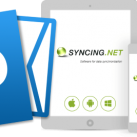
With SYNCING.NET it is now possible to sync Contacts and Appointments with other mobile devices or with Microsoft Outlook on Windows PCs! The new apps for iOS and Android are available on Stores.
The SYNCING.NET apps work independently of Google, Apple, Microsoft, or other Cloud based services. You always have a local copy of data on your devices and can access them everywhere and at any time.Just a few highlights:
SYNCING.NET is now the only software, which you need, in order to sync Files, Contacts, and Calendars with different devices or Microsoft Outlook on…

30 agosto / 2017
Outlook Contacts – Sync important data in seconds
Access Outlook contacts everywhere with SYNCING.NET
Heilbronn, 30. August 2017. Outlook, the most popular E-Mail client from Microsoft, went into a new round. The new Outlook 2016 from September 2015 is finally available for companies and private customers. Although, in order to access Outlook contact in a company on multiple compters, a special synchronizatio software is required, which regularly and automatically updates Outlook data with changes on all computers. SYNCING.NET takes over the most important task of the data synchronization. The software sends modifications in Outlook contacts immediately to all participants of the earlier created sync network. So, every computer…

SYNCING.NET transfers data changes in the Internet in Peer-to-Peer mode
Heilbronn, 29. August 2017. In September 2015, the new version of Outlook 2016 was finally released. If Outlook is used on multiple computers, then the possibility to keep all data in sync cannot be overestimated. SYNCING.NET executes the synchronization of Outlook calendars, events, appointments, and tasks fully automatically. For this task, a separate Exchange Server is not required, as the synchronization runs exclusively in Peer-to-Peer mode in the Internet or in local area networks. Therefore, all actual Outlook calendar data are available everywhere on all computers and mobile devices.
From…

28 agosto / 2017
Microsoft Outlook Calendar – Schedule events optimally
With SYNCING.NET events are synced automatically on changes
Heilbronn, 28. August 2017. Nowadays, evens and appointments are almost unimaginable without electronic calendars. Companies use functions of Microsoft Outlook, in order to schedule meetings, conferences, appointments, and events optimally. Often arise problems, when changes in Microsoft Outlook calendars on one computer are not transferred to other computers. All changes in the shared Outlook calendar must be unconditionally compared and transferred to all computers, accessing the shared calendar. With the synchronization software SYNCING.NET all Outlook data and regular files can be easily and safely kept in sync. On change in Outlook data…

27 agosto / 2017
Sync Outlook Calendar – Data and Outlook always up-to-date
SYNCING.NET syncs Calendars on up to 50 computers
Heilbronn, 27. August 2017. Many Outlook customers use Outlook 2016, which was released in September 2015 for private customers. For private use, as well as for companies, the Outlook calendar plays an important role. The problems may quickly arise, when the Outlook calendar must be accessed from multiple computers. Therefore, the sensitive data of the Outlook calendar must be synchronized between multiple computers regularly, in order to avoid conflicts with appointments and events. SYNCING.NET offers in this manner software solutions, which can transfer selected Outlook data between multiple users of the network.…

SYNCING.NET installs with a few clicks and syncs without Exchange Server
Heilbronn, 26. August 2017. In September 2015, Outlook 2016, the new version of the most used email clients, was released. Independently of the version, Outlook offers the users a lot of functions. As Outlook is a part of the Microsoft Office Suite, the integration with other Office products like Excel or Word is also available. For example, it is possible to import Excel tables into an Outlook calendar. In this case, the user must take care about the form of Excel tables. If somebody wants to access the Outlook…

More and more companies upgrade to Outlook 2016
Heilbronn, 25. August 2017. Although Outlook 2016 was released back in September 2015, many Outlook user are still using older versions of Outlook 2013, 2010, or even 2007. The Outlook users worry that the transition to Outlook 2016 will not be smooth and they can lose their Outlook data like emails, contacts, and calendars. The question is, how can the users import data from Outlook 2013, 2010, or 2007 to Outlook 2016 without losing data. First of all, the Outlook users must completely uninstall the older Outlook version. The .PST files, in…

19 Janeiro / 2017
SYNCING.NET Website Relaunch
Today we would like to announce a major step in the history of our company. We have launched a new SYNCING.NET website! With the release of SYNCING.NET apps for major desktop systems (Windows, macOS, Linux) and mobile devices (iOS, Android, Windows Phone) it was absolutely necessary to create a new website, which would work on all those desktop and mobile platforms. The new website has a modern interface with a responsive design and should clearly present SYNCING.NET products and provide a better customer experience. We've worked hard during last few months and really hope that you enjoy our new website,…
19 Janeiro / 2017
SYNCING.NET goes mobile!
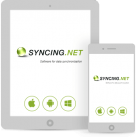
Great news! SYNCING.NET now supports all major mobile platforms including iOS, Android, and Windows Phone (with Windows 10). The file synchronization with SYNCING.NET becomes 100% cross-platform and works across any desktop or mobile devices.
For business and private customers who are concerned about privacy and security of their data in the cloud-based solutions, SYNCING.NET becomes a perfect alternative. Your data is never stored in the cloud and synced directly between devices at the highest possible speed. The mobile apps work with or without Internet connection. You have a local copy of data on your devices and can access your data anywhere…

22 Outubro / 2016
SYNCING.NET for Linux
We are happy to announce that SYNCING.NET file synchronization is now available for major Linux platforms.
SYNCING.NET for Linux was tested and works fine on Ubuntu and Debian derivatives, as well as on SUSE Linux.
The file synchronization is cross-platform and now you can sync your files on all major desktop OS: Windows, Mac OS, and Linux.
